Implementing Legal Documents
After we've scanned your website and generated your personalized legal documents with Lawwwing, the next step is to ensure these documents are correctly implemented on your site.
Proper implementation not only guarantees regulatory compliance but also makes it easy for your users to access all relevant legal information.
Option 1: Automatic Implementation
Automatic Footer
By default, when you install the Lawwwing script on your website, legal documents are implemented automatically.
We'll add a small footer with links to the generated legal documents, allowing your users to easily access this information transparently.

The footer style can be customized from the control panel at Customization > Design and Functionality.
Consent Banner Quick Access
In addition to the footer, legal documents are also automatically added to the quick access menu of the consent banner (if enabled in your settings).
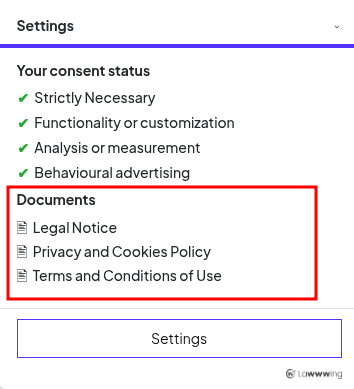
The quick access style can also be customized from Customization > Design and Functionality.
Exclude Legal Documents from Automatic Implementation
If you prefer to implement them manually, you can disable the automatic inclusion of legal documents in both the footer and quick access.
- You can disable this function in Lawwwing settings.
- Visual elements (footer and quick access) will continue to appear if enabled, but without legal documents.
- This allows you to implement them manually in your preferred location.
Option 2: Manual Implementation
To manually implement legal documents, you need access to your website's source code.
Before proceeding, here's a table with the names of legal documents generated by Lawwwing and their identifiers:
| Legal Document | Identifier |
|---|---|
| Legal Notice | notice |
| Privacy and Cookies Policy | priv or privacy |
| Privacy Policy | priv or privacy |
| Cookies Policy | cookies or privacy |
| Terms and Conditions | terms or purchase |
| Purchase Terms | purchase or terms |
| AI Usage Policy | ai-policy |
Depending on your website's configuration and requirements, some documents may not be available or may be combined (for example, Privacy and Cookies Policy).
Below are three methods available to implement documents manually.
Option 2.1. Use the Embedded Document Viewer
📌 This option requires the Lawwwing script to be installed on your website.
You can make legal documents open in a popup within the same page by adding links or buttons with special attributes or classes.
Method 1: Use data-lw-document
<a href="javascript:void(0);" data-lw-document="notice">Legal Notice</a>
<a href="javascript:void(0);" data-lw-document="priv">Privacy Policy</a>
Can also be applied to buttons or text:
<button data-lw-document="cookies">Cookies Policy</button>
<span data-lw-document="terms">Terms and Conditions</span>
Method 2: Use lawwwing-document-open Classes
<a href="javascript:void(0);" class="lawwwing-document-open notice">Legal Notice</a>
<a href="javascript:void(0);" class="lawwwing-document-open priv">Privacy Policy</a>
Example with buttons:
<button class="lawwwing-document-open cookies">Cookies Policy</button>
<span class="lawwwing-document-open terms">Terms and Conditions</span>
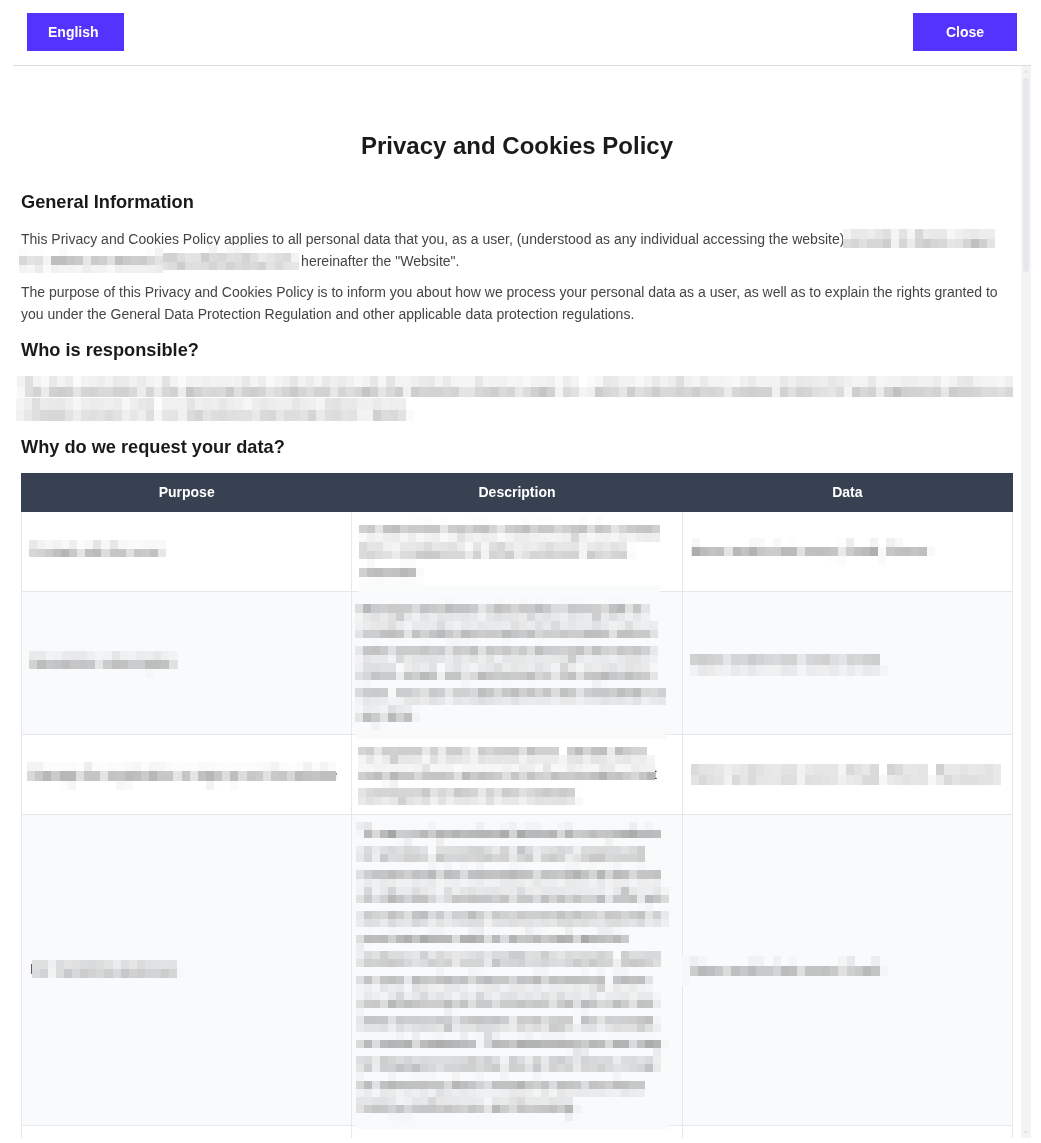
Here's how a document looks when opened with the embedded viewer:
Option 2.2. Add Links Manually
You can add direct links to legal documents anywhere on your website, or in other channels like newsletters or emails.
To get the links:
- Sign in to Lawwwing.
- Select your website.
- Go to the Documents section.
- Select the desired document and click Copy Link.
Example:
<a href="https://lawwwing.com/documents/<your-client-id>/legal-notice/en/">Legal Notice</a>
<a href="https://lawwwing.com/documents/<your-client-id>/privacy-policy/en/">Privacy Policy</a>
<a href="https://lawwwing.com/documents/<your-client-id>/cookies-policy/en/">Cookies Policy</a>
<a href="https://lawwwing.com/documents/<your-client-id>/terms-and-conditions/en/">Terms and Conditions</a>
<a href="https://lawwwing.com/documents/<your-client-id>/ai-policy/en/">AI Usage Policy</a>
These links are just an example. You'll find yours in your control panel.
Option 2.3. Use an iframe
You can also embed legal documents using an iframe:
<iframe src="https://lawwwing.com/documents/<your-client-id>/legal-notice/en/"></iframe>
<iframe src="https://lawwwing.com/documents/<your-client-id>/privacy-policy/en/"></iframe>
<iframe src="https://lawwwing.com/documents/<your-client-id>/cookies-policy/en/"></iframe>
<iframe src="https://lawwwing.com/documents/<your-client-id>/terms-and-conditions/en/"></iframe>
<iframe src="https://lawwwing.com/documents/<your-client-id>/ai-policy/en/"></iframe>
Option 3: WordPress Shortcodes
If your website is built with WordPress, you can use our shortcodes to insert legal documents anywhere on your site: pages, posts, widgets, or even within your template content.
You can find more details about this option in our WordPress Shortcodes guide.