Accessibility Widget
Lawwwing's Accessibility Widget is an add-on available for any of our plans.
Once activated, it installs transparently, with no need to add extra scripts or modify your website's code. Additionally, you can customize its appearance and behavior from the dashboard to adapt it to your site's design and needs.

What this widget does
The accessibility widget allows you to offer visitors quick access to various accessibility and navigation options.
It also helps your site comply with current accessibility and user experience regulations.
Among other features, it allows:
- Improve content readability.
- Adjust visual elements.
- Provide quick access from a visible launcher.
- Adapt the experience to different user profiles.
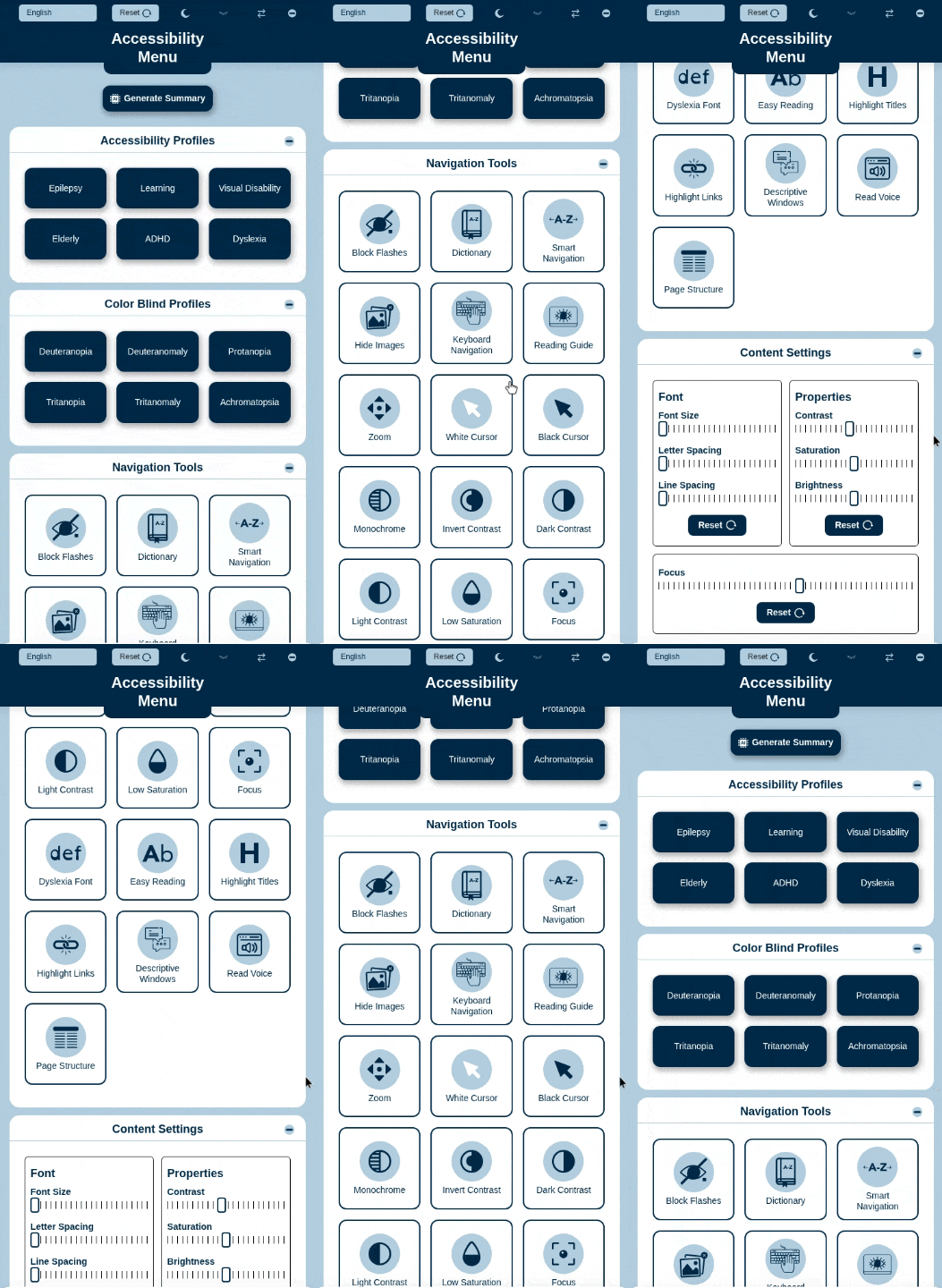
Customization options may vary depending on your account configuration and product updates.
Activation from the dashboard
Widget activation is done from the Lawwwing panel.
Step 1: Access your account
Log into your Lawwwing dashboard and select the project or website where you want to activate the add-on.
Step 2: Add the add-on from Subscription
Go to the Subscription section of your project and add the Accessibility Widget:
- If you already have an active plan, edit your subscription and add the add-on.
- If you're subscribing for the first time, include it during the signup process.
Once enabled, Lawwwing will integrate it automatically into your installation.

Step 3: Save changes
Save the changes to complete the activation.
Then, verify that the add-on is active in the Configuration section of your project.

Transparent installation
Once the add-on is activated, no additional manual installation is necessary.
If Lawwwing is already correctly integrated into your website, the widget will deploy automatically as part of that integration.
This means:
- You don't need to copy additional scripts.
- You shouldn't modify your website's code.
- Activation is managed from Lawwwing.
- Configuration is centralized in the dashboard.
If you already use Lawwwing, activating this add-on is enough to integrate the widget automatically.
Requirements
For the widget to work correctly:
- You must have Lawwwing correctly installed on your website.
- The project must be active in your dashboard.
Configuration and customization
Once activated, you can customize the widget from the Configuration section of your project in the dashboard.
Frequently asked questions
I already have Lawwwing installed, do I need to add anything else?
No. If Lawwwing is already correctly integrated, the widget is added automatically after activating the add-on.
Is it available for any plan?
Yes. The accessibility widget is available as an add-on for all plans.
Can it be customized?
Yes. You can adjust its configuration from the dashboard to adapt it to your website.
If you need help activating or configuring the widget, you can contact our team.