🛡️ Trust Portal
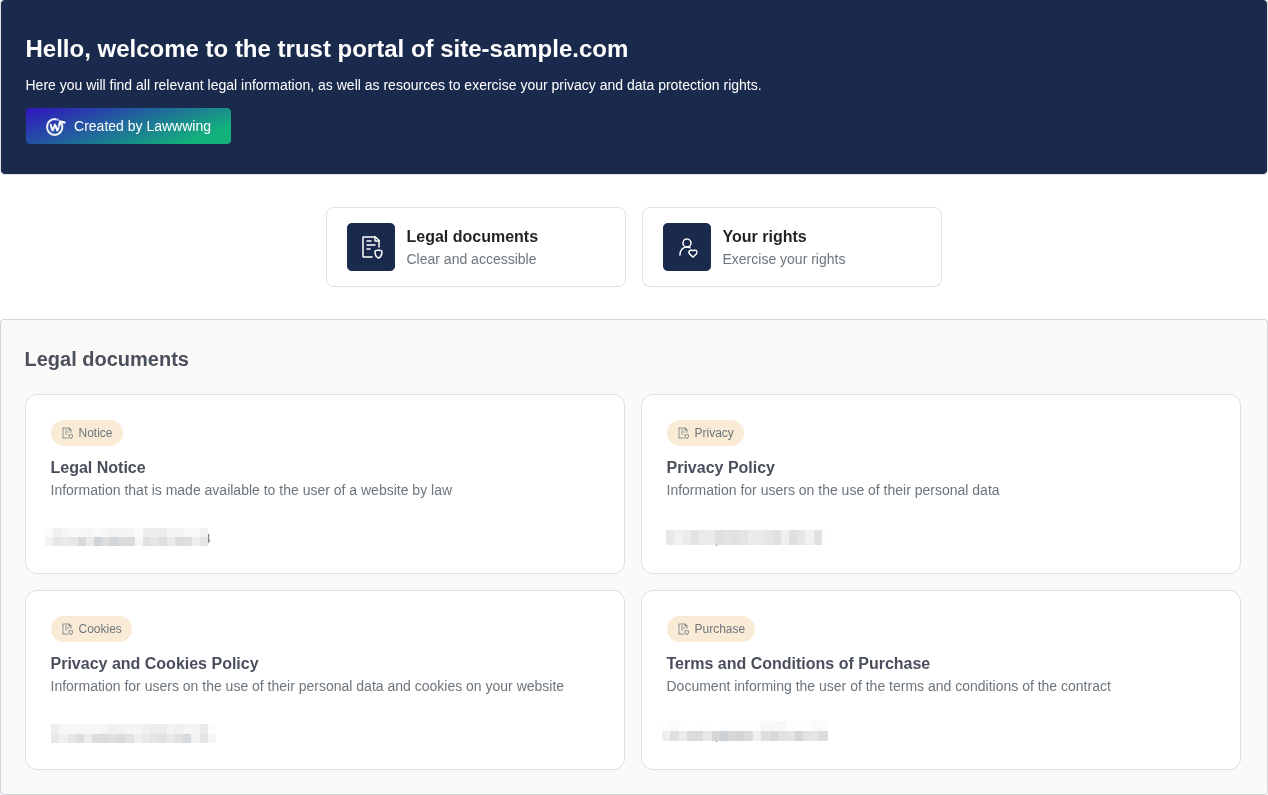
Lawwwing's trust portal is a centralized page where your visitors can access all legal information on your website: privacy policies, terms and conditions, cookie policy, and any other relevant legal documents.
Regulations such as GDPR and LSSI require that legal information be accessible and up-to-date. The trust portal helps you comply with these obligations easily and automatically.
What is the trust portal?
The trust portal is a dedicated page that integrates into your website and acts as a centralized access point to all your legal documentation. Instead of your users having to search for scattered links across your site, they can find everything they need in one place.
It includes, among others:
- Privacy Policy - How you collect and process personal data.
- Cookie Policy - Which cookies your site uses and for what purpose.
- Terms and Conditions - The rules for using your website or service.
- Any additional legal documents relevant to your activity.
- Rights Management Form - Allows users to exercise their access, rectification, deletion, and objection rights (ARCO) easily.
How does it work?
The trust portal integrates automatically into your website in three ways:
- As a standalone page - Your visitors can access directly via a dedicated URL with all your legal information.
- From the cookie banner - The banner includes a direct link to the portal, facilitating access from any page.
- From legal documents - Legal texts link to each other through the portal, creating coherent navigation.
You don't need to create links manually. Lawwwing automatically connects the banner, documents, and portal.
Benefits
| Benefit | Description |
|---|---|
| Centralization | All legal information accessible from a single point. Your users don't have to search your site. |
| Automatic Updates | When you modify a legal document in Lawwwing, the portal updates automatically. No manual intervention. |
| Customization | Adapt colors, typography, and style to match your website's design. |
| Regulatory Compliance | Facilitates compliance with GDPR, LSSI, and other regulations by ensuring legal information is visible and accessible. |
| User Trust | A clear and organized legal portal conveys professionalism and builds trust with your visitors. |
How do I configure the trust portal?
Once you activate a Lawwwing subscription, the trust portal is automatically enabled on your website. To customize it, follow these steps:
- Access your Lawwwing control panel.
- Go to the "Trust Portal" section.
- Customize the design (colors, logo, style) to match your brand.
- Save changes - the portal will update automatically on your website.
If you need help with configuration or have any questions, you can contact us.