AI Sentinel
AI Sentinel is the Lawwwing module that automatically detects AI-generated or AI-manipulated images on your website and displays them transparently to your users through a widget embedded directly in the page.
AI Sentinel helps organizations implement transparency measures for content generated or modified using artificial intelligence.
The module makes it easier to identify and communicate this type of content to end users, supporting compliance with applicable transparency obligations and each organization's internal digital governance policies.
AI Sentinel is included in the COMFORT plan or available as an addon for any plan. If you already have an active plan, you can add it from the Subscription section of your project.

AI Sentinel floating button shown to the visitor.
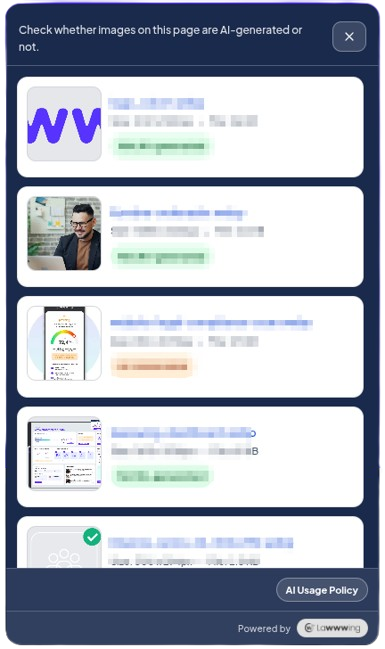
Transparency panel showing image analysis results for the page.
How it works
Workflow
AI Sentinel follows this process:
- Lawwwing crawls your website pages.
- The system identifies publicly available images.
- Each image is analyzed by the AI Sentinel detection engine.
- Results are stored on the platform.
- The widget displays this information to page visitors in a transparent and accessible way.
1. Image scanning
The platform periodically scans images published on your website and analyzes them using the AI Sentinel engine.
This process runs in the background and does not require any action from the administrator. The system identifies each image based on its content, allowing it to recognize the same image even if its name, URL, or location within the site changes.
New images detected in subsequent scans are automatically added to the analysis process.
2. Widget integration
Once images are analyzed, the AI Sentinel widget shows users a clear and accessible summary of which images were generated or manipulated by AI. The widget integrates directly into your website through the standard Lawwwing script, with no additional code required.
Once rendered, the widget stays visible on the page as a floating button. Users can open it at any time to check the status of analyzed images on that page.
Activation
AI Sentinel does not require any additional installation if you already have the Lawwwing base script integrated into your website.
Prerequisites
Before activating AI Sentinel, make sure that:
- Your account includes the AI Sentinel module or a plan that includes it.
- The Lawwwing base script is correctly installed.
Activation steps
- Verify that AI Sentinel is available in your subscription.
- Open widget settings from the dashboard.
- Enable the AI Floating Widget option.
- Run an initial scan to generate first results.
- Confirm that the widget appears correctly on your website.
Dashboard configuration
All AI Sentinel options are configured from the Lawwwing admin dashboard, in the corresponding widget section.
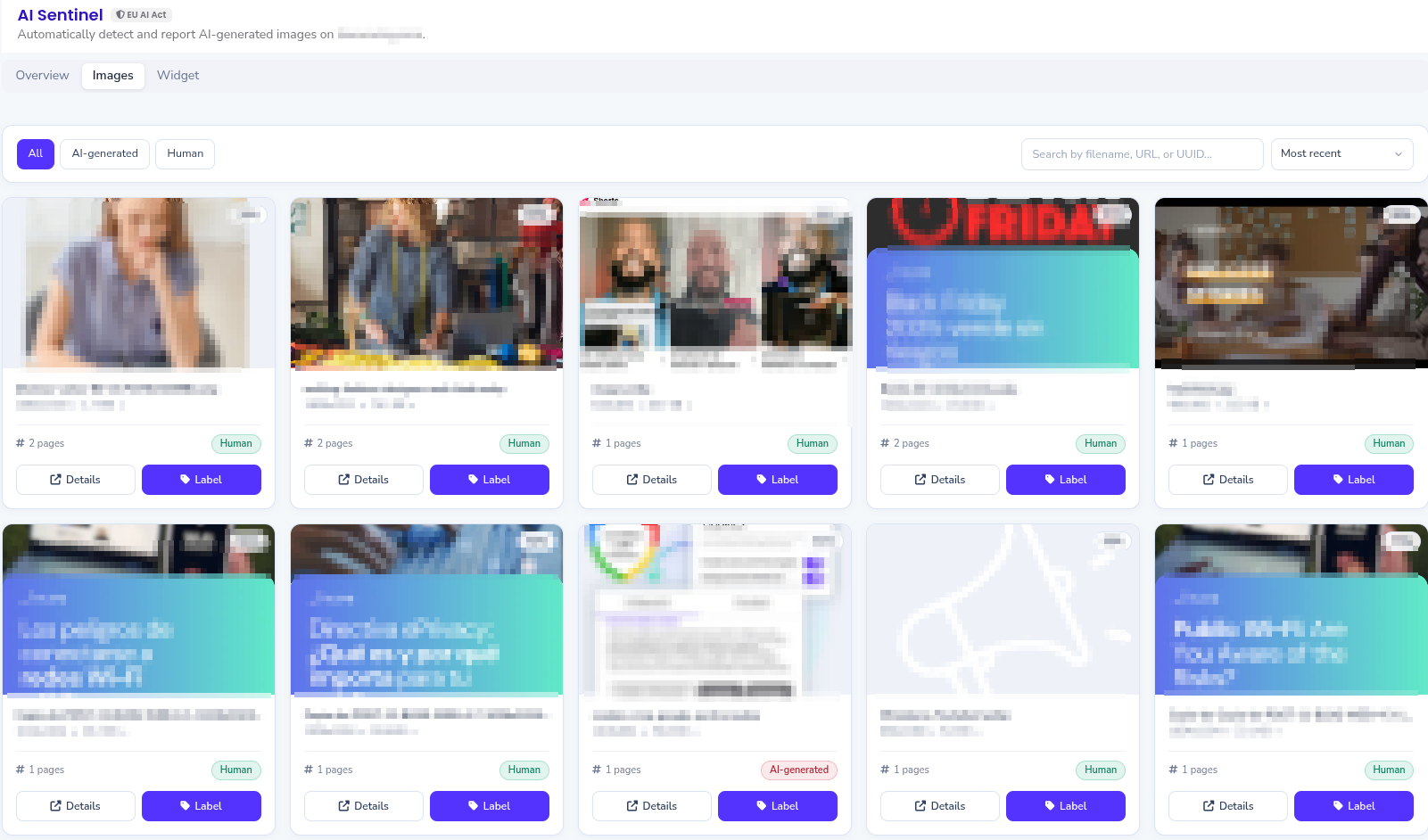
View of the AI Sentinel configuration dashboard in Lawwwing.
Classification states
Analyzed images can appear with one of the following statuses:
| Status | Meaning |
|---|---|
| AI | There is sufficient evidence that the image was generated or modified using artificial intelligence. |
| Human | No relevant evidence of AI generation or manipulation was detected. |
| Not analyzed | The image has not yet been processed by AI Sentinel. |
| Manual override | The result was manually modified by an administrator from the dashboard. |
The classification shown by AI Sentinel represents the result of the analysis performed at the time of scanning and may be updated in future reviews.
Enable AI Sentinel
To enable the module, turn on the AI Floating widget option in widget settings.
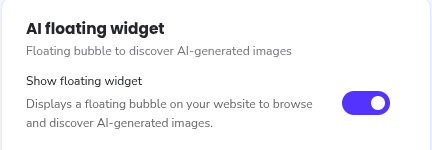
Enabling the AI Sentinel floating widget from the Lawwwing dashboard.
Colors and appearance
You can configure the widget appearance from the dashboard under AI Sentinel > Widget. Available options are:
| Option | Description | Default |
|---|---|---|
| position | Controls where the floating button appears on the page | bottom-right |
| background color | Background color for the button and panel | #1f5cff |
| icon color | Button icon color | #ffffff |
| text color | Panel text color | #ffffff |
Make sure the text color keeps a minimum contrast ratio of 4.5:1 against the background color to meet WCAG 2.1 AA.
Change result manually
In certain situations, it may be necessary to manually adjust the result of an analyzed image. For example, when you have additional information about an image's origin that cannot be inferred automatically through technical analysis.
Keep in mind that manual override should be used with caution, as it changes the automatic analysis result. We recommend using it only when you are sure about the nature of the image and want to correct a possible system error.
Custom CSS variables
If you need finer control over position or appearance, contact our support team to get access to custom CSS variables. These variables allow full control over widget design, including sizes, spacing, and more.
Frequently asked questions (FAQ)
Do I need to install anything else to use AI Sentinel?
No. AI Sentinel is included in the standard Lawwwing widget. You only need to enable the AI Floating Widget option from your widget dashboard.
Can an image result change after a new analysis?
Yes. Results may be updated over time due to new scans, improvements in detection models, or manual overrides.
Does the widget analyze images in real time when the page loads?
No. Image analysis is performed beforehand in Lawwwing during your website scanning process. These scans are scheduled periodically or can be run manually from the dashboard.
Can I customize widget colors to match my brand?
Yes. You can configure background color, icon color, and text color directly from the Lawwwing dashboard. For more advanced customization options, contact our support team to access custom CSS variables.
Does AI Sentinel affect my website performance?
The impact is minimal. The widget loads its resources asynchronously, and image analysis runs on Lawwwing cloud infrastructure, so it does not consume your server resources or affect page load time.
What happens to images that have not been analyzed yet?
Only images that have gone through the Lawwwing analysis engine are shown in the panel. If an image has not yet been processed, it will not appear in results until the system analyzes it.
Is it compatible with any CMS or platform?
Yes. AI Sentinel works on any website that can include an external JavaScript script: WordPress, Shopify, custom websites, SPAs, etc.
Images analyzed by AI Sentinel are processed exclusively for the purpose of determining whether there is evidence of generation or manipulation using artificial intelligence. Information processing is carried out in accordance with Lawwwing privacy policies and terms of service.