BigCommerce
In this section, we will provide detailed instructions for integrating Lawwwing into your BigCommerce store.
To follow this guide, make sure you have administrator access to your BigCommerce store.
The recommended method is Script Manager. You do not need to edit the theme, and the code remains in place if you update the template.
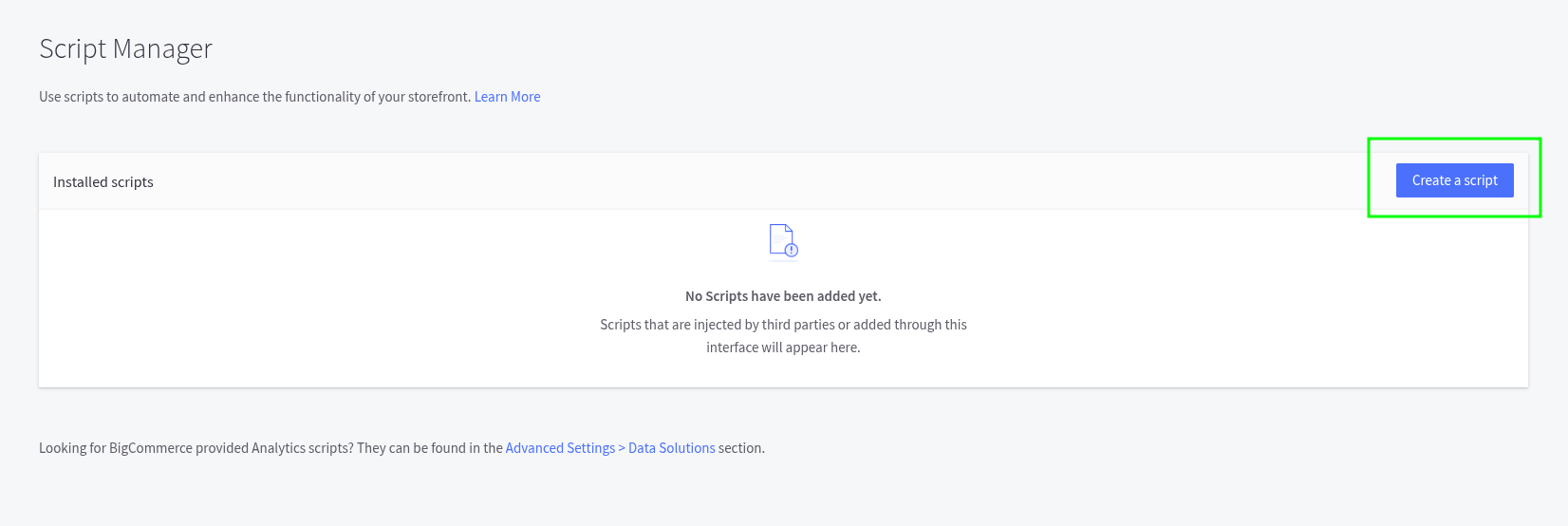
Step 1: Open Script Manager
- Sign in to the BigCommerce control panel.
- Go to Storefront > Script Manager.
On some control panels the path is Settings > Advanced > Script Manager.
- Click Create a Script.
Step 2: Configure the script
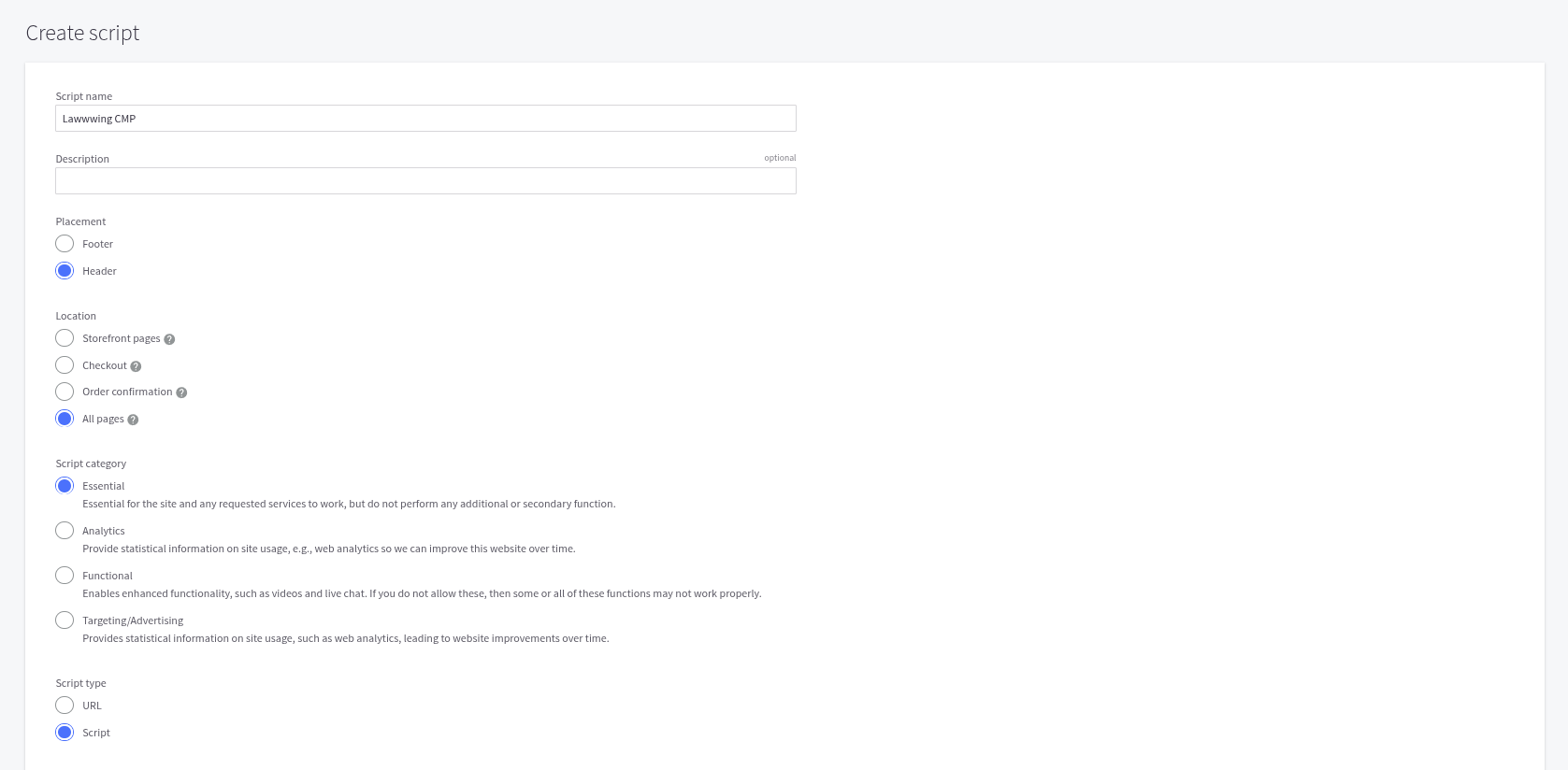
Fill in the form with these values:
| Field | Value |
|---|---|
| Name | Lawwwing |
| Placement | Header |
| Location | All pages |
| Script category | Essential |
| Script type | Script |
All pages includes the storefront, cart, checkout, and order confirmation. If you choose Storefront pages only, the banner will not appear at checkout.
Essential makes BigCommerce load Lawwwing even if the visitor has not given consent yet. The CMP has to run in order to collect that choice.
Step 3: Paste the Lawwwing code
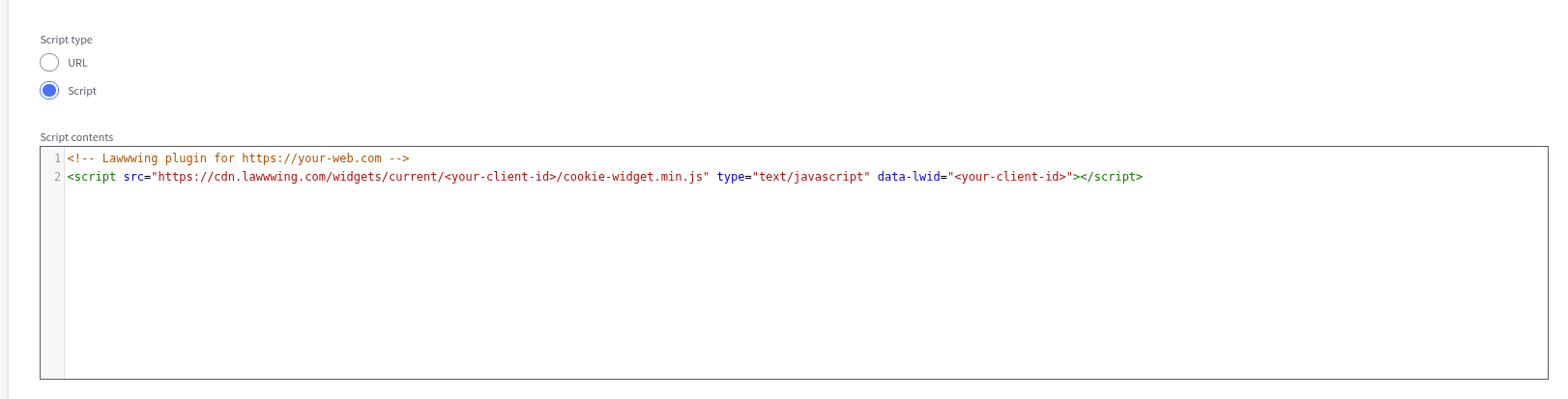
- Copy the code snippet from the installation section of your Lawwwing dashboard.
<!-- Lawwwing plugin for https://your-web.com -->
<script src="https://cdn.lawwwing.com/widgets/current/<your-client-id>/cookie-widget.min.js" type="text/javascript" data-lwid="<your-client-id>"></script>
This code is just an example; you will find your own in your control panel.
- Paste it into Script contents.
- Click Save.
The script can take a few seconds to appear on the store.
Native BigCommerce banner
BigCommerce includes its own cookie notice (Cookie consent tracking) under Settings > Security & Privacy.
If it is enabled, the visitor may see two banners. Turn it off so that only the Lawwwing banner is shown.
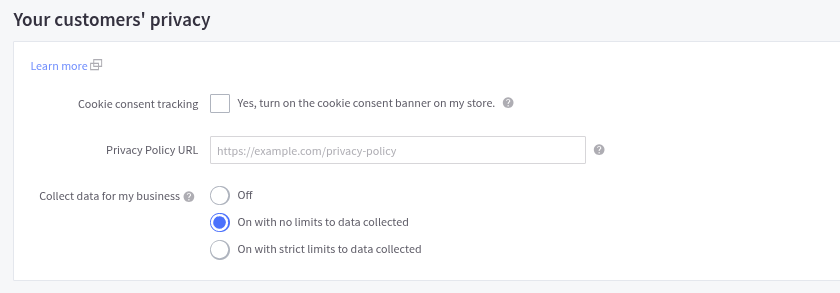
The native BigCommerce notice offers basic cookie consent management. Lawwwing is a consent management platform (CMP) designed to manage consent in one place and help you meet applicable privacy requirements.
For this reason, we recommend turning off the native BigCommerce notice and using Lawwwing only, so you avoid duplicate banners and get a more complete, consistent consent setup.
Check the installation
Open your store and confirm that the Lawwwing banner is displayed. You can also validate the installation from your Lawwwing dashboard.
If the banner does not appear, check that the script is set to Header, All pages, and Essential. On custom Stencil themes, templates must include {{head.scripts}} for Script Manager to inject the code.
🚀 That's it! Lawwwing is now active on your website 🚀
For more details on how to make the most of Lawwwing in BigCommerce, visit our Configuration section.
If you need additional assistance or have questions, feel free to contact us and we will be happy to help you 🙂